
Stop Texting Your Musicians One At A Time.
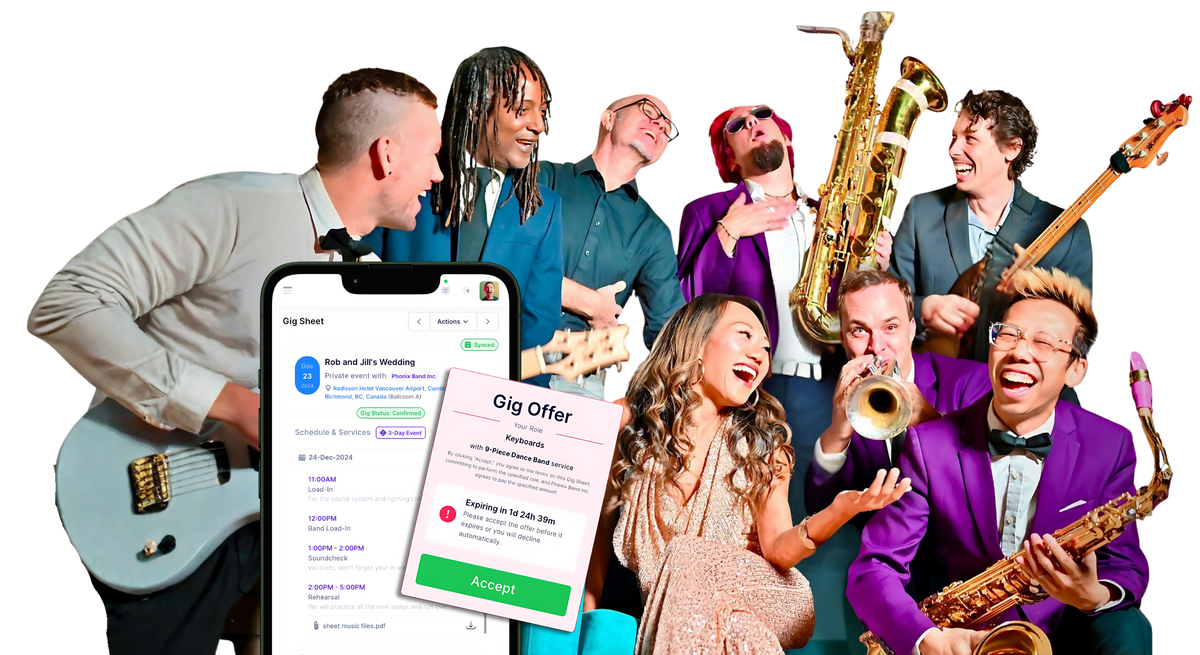
Gig offers, cancellations, payout confirmations and new leads, sent straight to the right phone from inside Back On Stage. They tap to accept. You stop chasing a group chat.

Email is where gig offers go to be ignored.
You send an offer on Tuesday. On Thursday you still have three unanswered slots, so you start texting people individually, from your own phone, while you are trying to do something else.
Musicians do not live in their inbox. They live in their messages. A text gets read in minutes; an email competes with everything else in there.
Send it as a text and the same offer fills itself.
Buy a pack
Pick a size below. Packs sit on your account and never expire, so nothing is wasted in a quiet month.
We switch it on
SMS gets enabled on your company account, usually the same day. Nothing for you to configure.
You choose what gets texted
Open the Notification Control Center in each of your active companies and tick SMS beside the notifications worth a text. We send full instructions with your activation email, and we are on hand if you want a second opinion on what to switch on.
Buy messages. Use them whenever.
No monthly commitment, no per-seat charge, no expiry. Buy a pack, and when it runs low, buy another.
- Roughly 80 gig offers a month
- Never expires
- Works across your whole roster
- Roughly 80 to 330 gig offers a month
- Never expires
- Works across your whole roster
- Roughly 330 to 660 gig offers a month
- Never expires
- Works across your whole roster
You decide which notifications become texts.
Back On Stage already sends all of these by email, and email stays the default. Once SMS is switched on, every notification gets an SMS checkbox sitting next to its email checkbox in your Notification Control Center. Tick the ones that are worth interrupting someone for, and leave the rest on email.
What they actually look like
Just posted the setlist. Please take a look!
Read more: backonstageapp.com/g/A7x9Kd
Act now: backonstageapp.com/g/A7x9Kd
Every message carries a link back to the gig sheet or the lead, so the venue, the dress code, the parking and the set times are one tap away instead of five texts away.
The full list
Set per company, by an admin, in Company Settings. If you run more than one company in Back On Stage, you choose separately for each one.
To your musicians
- Auto-Book gig offers
- Shotgun gig offers
- A gig has been cancelled
- You have received a payout
- Auto-Pay payout notifications
Chat
- New band chat message
- New team chat message
- New admin chat message
To your admins
- A musician accepted your offer
- A musician declined your offer
- Auto-Book could not fill a role
- Client payment received
- Client signed your contract
- Client questionnaire completed
Tasks
- A task has been assigned to you
- Task due today, to the assignee
- Task due today, to the assigner
- Task due in a week, to the assignee
- Task due in a week, to the assigner
- Task marked complete
Leads
- New lead from a lead form
- A lead requires action
Which pack do I need?
A rough guide. It assumes an offer, a confirmation and one change or reminder for each staffed role, which is what most operations actually send.
| Gig offers a month | Messages a month | Pack |
|---|---|---|
| Under 80 | Under 250 | 250 pack, $12.50 |
| 80 to 330 | 250 to 1,000 | 1,000 pack, $42.50 |
| 330 to 660 | 1,000 to 2,000 | 2,000 pack, $70.00 |
| More than 660 | More than 2,000 | Ask us for a quote |
The honest version.
SMS is switched on by us, not by you
It is not a toggle in your settings yet. Buy a pack and we enable it on your company account, usually the same day and always within one business day. You will get an email when it is live, with instructions for the next step.
You pick the notifications afterwards
Nothing starts texting on its own. Once SMS is live, an admin opens the Notification Control Center in each active company and ticks SMS beside the notifications that deserve one.
Your musicians opt in once
Each player verifies their mobile number in their profile the first time. Anyone can reply STOP at any point and they stop receiving texts, with no effect on anything else in their account.
Texts reach your team, not your clients
SMS delivery covers your members and admins. Client-facing notifications continue to go out by email exactly as they do today.
United States and Canada only
Carrier registration currently covers North American numbers. If your roster is elsewhere, talk to us before buying and we will tell you honestly whether it will work.
You need a Back On Stage subscription
Messages send from inside your bookings, so this is an add-on to an existing account rather than a standalone service.
Do I have to text everything?No, and most people should not. Every notification keeps its own email and SMS checkboxes, so you might text gig offers and new leads while leaving task reminders on email.
Do the messages expire?No. They sit on your account until you use them, so a quiet January costs you nothing.
What happens when I run out?Sending falls back to email and we let you know. Buy another pack whenever suits.
I run several companies. Does one pack cover them all?Your credits sit on your account, and you choose notification settings separately in each company, so you can text gig offers in your busy act and leave a quieter one on email.
Can I use my own Twilio account instead?Yes, that option still exists. Most people find a pack simpler than setting up and registering their own carrier account.
Do replies come back to me?Players accept or decline through the link rather than by replying. STOP is the one reply the system acts on.
SMS programme terms · See all services and packages
Your cart
Taxes calculated at checkout. We will be in touch within one business day to schedule and to collect your data.